PC Store Together Customer Orders & Compatibility Testing
Take custom builds, prove they will run, benchmark before the sale, and handle trade-ins cleanly.
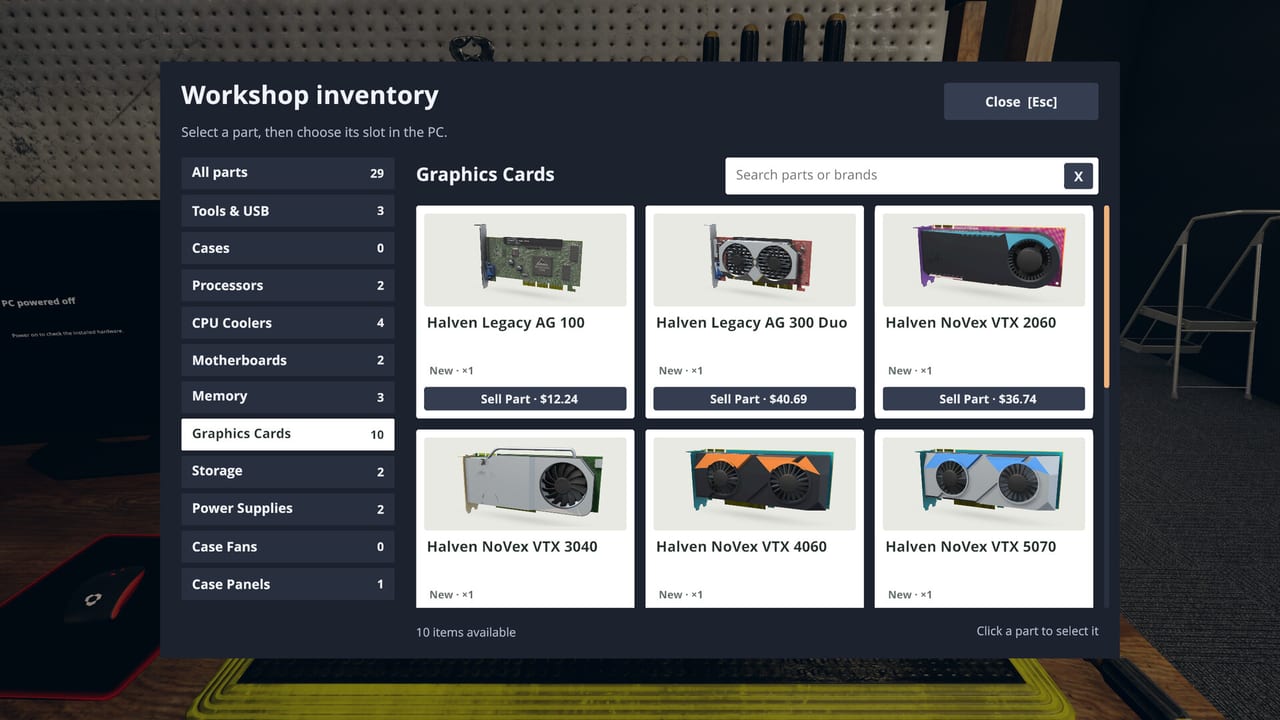
Customers are why the lights stay on in PC Store Together. Sykes Games and Nightmare Studios designed the November 24, 2026 Steam Windows release (app 4990940) so orders are more than a cash popup: people want machines built, repaired, tested, and sometimes traded in—while smarter buyers notice when a “gaming PC” cannot run the software you implied. This guide covers counter craft, custom PC orders, will-it-run style compatibility testing on shop hardware, benchmarking before you take payment pride, and trade-ins as a full-release opportunity (and clutter risk).
Cross-link depth: assembly rules in How to Build a PC, triage in How to Diagnose and Repair, margins in Pricing & Inventory, and advanced pacing in Tips and Tricks.
The counter mindset
Good shops separate listening from wrenching. At the till you capture:
- Budget and deadline energy (tonight versus “whenever”)
- Target use (office, streaming, a specific game class, quiet HTPC vibes)
- Constraints (size, existing parts they insist on reusing, noise tolerance)
- Whether this is a new build, upgrade, repair, or trade-in plus rebuild
Write the promise in plain language before you pull parts. If the customer wants a title that needs a stronger GPU than the budget allows, say so at the counter—not after the case is half built. Reputation gates better hardware on Parts Tiers; do not sell fantasy tiers you have not unlocked or cannot test.
Custom PC orders — from quote to handoff
1. Quote with a bill of materials
Use house recipes from Starter Builds as the spine, then swap only intentional parts. Include:
- CPU + cooler
- Motherboard + RAM generation match
- Storage
- GPU (or iGPU honesty if applicable)
- PSU wattage with headroom
- Case realities (clearance, airflow)
Price labor and parts as separate mental lines even if the UI blends them—see Pricing & Inventory for sticker discipline.
2. Stage before you commit shelf queens
Pull a kit to a cart. If a part is missing, fix stock before you accept a rush fee you cannot earn. Co-op runners exist for this moment (Co-op Multiplayer, Tips and Tricks).
3. Build in the safe order
Follow the simulated compatibility rules—wrong socket or starving wattage means no boot. The canonical order and failure modes live on How to Build a PC. Close the panel before power.
4. Define “done” as tested, not merely lit
Full release leans on playable games on built PCs and smarter customers. A POST is necessary; it is not sufficient for a gaming claim.
Will-it-run / software compatibility testing
Gameplay includes the fantasy players know from real shops: checking whether a configuration meets a game or application’s minimum or recommended style expectations before you collect a premium. Treat the shop PC and the finished tower as tools for honesty.
How to use compatibility checks without slowing the entire queue
- Match the claim: if you sold “it will run Game X on medium,” test against that claim—not against a random screensaver.
- Use recipes: known mid builds should have known outcomes; stop reinventing the wheel every ticket.
- Fail early: if the GPU is under the target, redesign the quote at the counter instead of hoping.
- Document the result mentally: “tested boot + target software pass” becomes your handoff script.
This loop is why test capacity matters on Store Expansion. If every machine must fight for one sad outlet while the queue grows, expand testing before you expand neon signs.
Benchmarking before sale
“Benchmarking” in shop-sim language means a deliberate performance sanity pass—not a laboratory paper. Before payment pride:
- Confirm stable power-on with the panel secured.
- Run the compatibility or game-target check that matches the sales claim.
- Watch for thermal red flags (immediate throttling vibes, panic shutdowns).
- Only then apply the premium sticker and call the customer.
Skipping this step creates refunds that cost more than the two minutes you “saved.” Smarter customers are a full-release pillar—lean into them.
Repairs that arrive as “orders”
Many tickets sound like builds but are sick towers. Intake questions:
- Did it ever work in this configuration?
- Power LED behavior? Any beep/code ritual the game surfaces?
- Recent changes (new GPU, moved house, spilled something we will not describe)?
Then follow How to Diagnose and Repair: isolate power vs signal vs thermal, swap from the spares drawer, verify, invoice labor. Do not cannibalize a staged custom kit to save a repair unless the counter lead approves the stock hit.
Trade-ins (full-release opportunity)
Trade-ins appear in full-release messaging as a real loop: inbound hardware can feed repairs, budget builds, or flip inventory—or it can bury your benches in junk. Advanced rules:
- Sort immediately: use-now, flip-soon, recycle/ignore.
- Never let trade-in boxes live on the active build desk.
- Test before you price a resale. A free GPU that fails under load is not free.
- Watch margins: cheap inbound parts still need labor; bill cleaning and verification.
Policy detail belongs with Pricing & Inventory. Cultural discipline belongs with Tips and Tricks.
Co-op at the counter
One person should own quotes and final prices during a rush. Builders can advise wattage; they should not silently rewrite the ticket. When four players shout discounts, reputation and cash both suffer. Host stability still matters—see System Requirements if the till stutters every time a customer appears.
Launch-week reality check
Day one brought 1000+ CCU, bestsellers visibility, Very Positive early reception, community hotfix waves, and later a performance optimization pass. If an order flow feels broken, update and retest before you redesign your entire pricing sheet (Community Hotfixes, Performance Optimization Update, Launch Patch Notes).
Video context
The mid-page first-look / repair-shop video helps you visualize counter-adjacent benches and the pace of real tickets. Use it for spatial intuition, then enforce the quote → stage → build → compatibility test → pay loop in your own lobby.
Related routes
- Tips and Tricks
- How to Build a PC
- How to Diagnose and Repair
- Pricing & Inventory
- Store Expansion
- Starter Builds
- Parts Tiers
- Getting Started
- Guides Hub
Take the order you can prove, test what you promised, and keep trade-ins from eating the workbench. That is customer service as a co-op sport.
Frequently Asked Questions
Quick answers to the most common questions.
What is will-it-run testing in PC Store Together?
Gameplay includes checking hardware against software or game minimum/recommended style expectations before you treat a gaming sale as finished—prove the claim, then take pride (and payment).
Should I sell a PC as soon as it POSTs?
Not if you promised gaming performance. Close the panel, run a stability and compatibility pass that matches the quote, then sticker.
How do trade-ins fit into customer flow?
Full release includes trade-ins as inbound hardware opportunity. Sort immediately into use-now, flip-soon, or ignore, and never store junk on the active build desk.
Who should own prices in co-op?
One counter lead during rushes. Builders advise on wattage and compatibility; they should not silently rewrite quotes mid-install.
Which guides pair with customer orders?
How to Build a PC for assembly, How to Diagnose and Repair for sick towers, Pricing & Inventory for margins, and Tips and Tricks for queue versus WIP discipline.